Move from Spond to badminton-first club nights
Move your badminton club from Spond to ShuttleOps. Try a free test club, then set up players, sessions, payments, messages and Digital Peg Board rotation.
Bring players, sessions and payments together with fair court rotation. Try ShuttleOps with fake players before moving your club.
Plan your first club night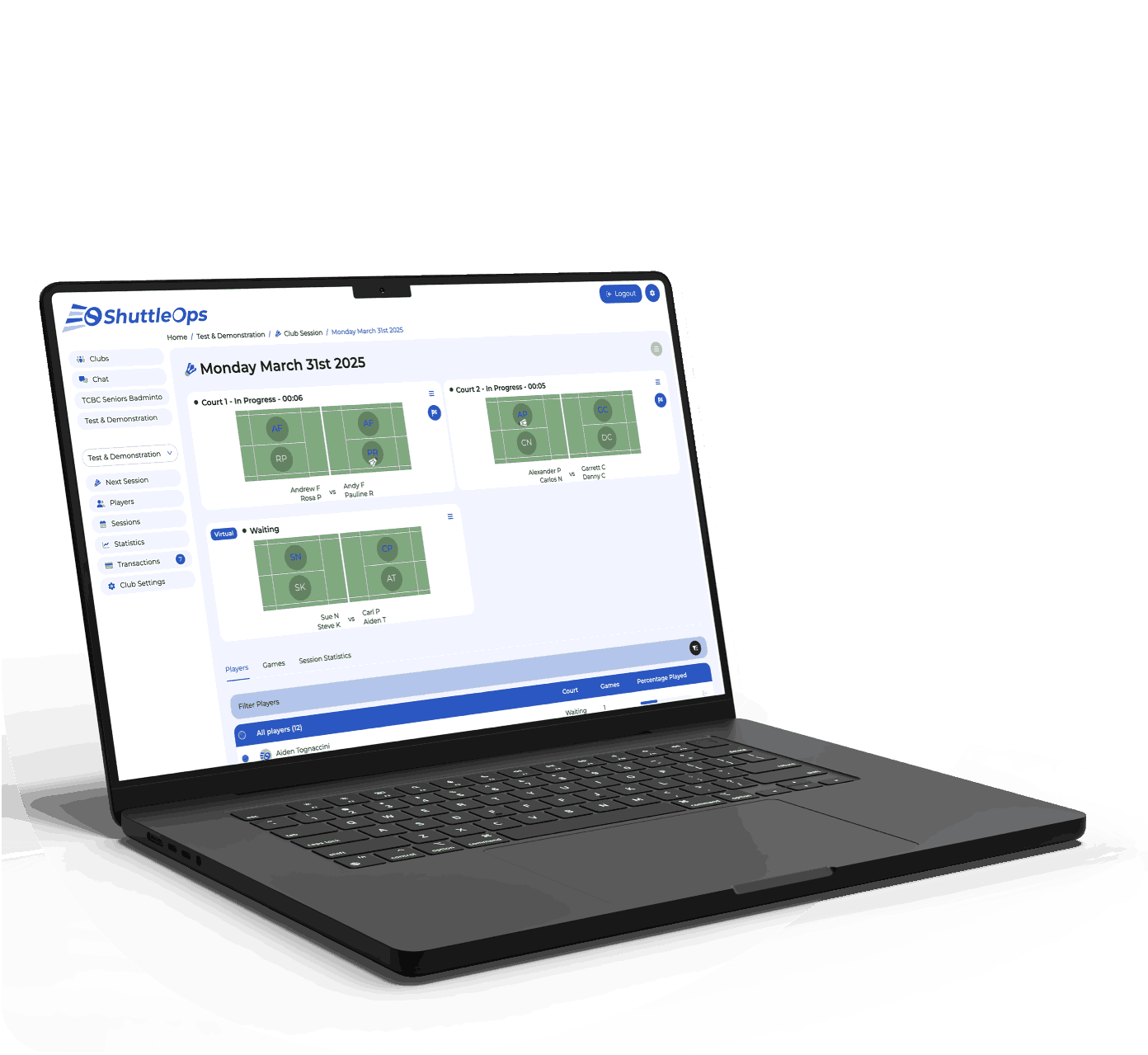
Six steps to your first club night
Try your club night with fake players
Create an account, confirm your email and create a private seven-day test club. It includes 10 fake players and removes itself after seven days. Add your courts, start games and try the Digital Peg Board. Finish games and review waiting times before inviting anyone.
Keep a copy of your Spond records
In Spond on the web, open your group and select the three-dot menu. Choose Download member list (Excel). Keep the file private and check which players still attend. Save the attendance and payment records your club needs before changing systems.
Use the list to check manual setup. This guide does not promise an automatic Spond import or transfer of message history.
Set up your real club and helpers
Create your ongoing club separately from the temporary test club. Choose public search or private Club ID access. Add locations, courts and session prices. Keep booking the venue through your usual route.
Add players or share your Club ID or QR code. Give registered helpers administrator or finance access. Players need accounts to book, pay and view their history. Linked profiles support parents and guardians.
Run one familiar session
Set the date, time, courts, price, capacity and signup window. Check attendance when players arrive, then mark them available for games. Start the Digital Peg Board to assign courts and rotate waiting players.
Finish each game, then close the session after the last game. Review partners, opponents and waiting times with your helpers. Repeat the session settings once the routine works.
Agree when payments move
Choose a date for new charges to start in ShuttleOps. Finish or reconcile earlier Spond charges separately. Complete club payment setup and ask players to add their payment method. Do not assume stored card details or mandates transfer.
Pro and Extra can group weekly charges into one monthly collection per player. Check attendance, amounts due, failed payments, balances and payouts. Record offline payments too. Give each charge one collection route to avoid charging twice.
Give players one place for updates
Tell members which session starts in ShuttleOps and where to book or ask questions. Use club chat, session updates and optional email alerts. Keep your Spond group available while everyone learns the new routine.
ShuttleOps has iPhone, iPad and Android apps. Its App Store history lists updates on 23 May and 25 June 2026. These cover session handling, attendance and finance improvements. Check that helpers and players can find their next session before retiring old reminders.
Choose a plan for your club
Free includes 10 members. Standard costs £4 monthly for 25. Pro costs £8 and Extra £12 monthly for 100. Existing bolt-ons add features or capacity, including 150 members. These are plan allowances, not a product-wide player limit.
What would 30 players paying £20 each cost?
For 30 players attending four £5 sessions, each player spends £20 monthly. Pro groups those charges into one £20 Direct Debit per player. Stripe and ShuttleOps each charge 1%, with separate 20p minimums. That means 40p per collection: £12 processing plus £8 Pro, or £20 monthly for the club.
Spond publishes UK fees of 2.5% + 20p per selected product, including Stripe. If each £5 session is a separate product, 120 products cost £39 before transaction rounding. In this stated example, ShuttleOps costs £19 less. Spond has no software subscription charge.
The example assumes successful collections and the club covering fees. It excludes venue hire, bolt-ons and disputes. Check your actual Spond products and fee payer before comparing. It does not assume Spond groups monthly charges.
Sources
Checked on 14 September 2026.